
How Public Sector Dashboards Use Interactive Maps Effectively
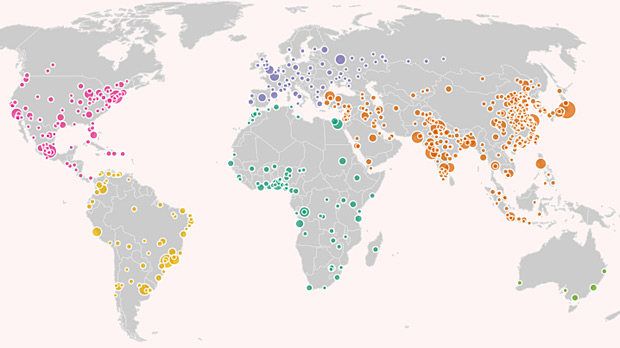
Across the United States, public sector dashboards have become central to how governments monitor performance, allocate resources, and communicate with the public. From city halls and transit agencies to public health departments and emergency operations centers, dashboards increasingly rely on interactive maps as their core interface.
This is not a design trend—it is a functional shift. Public sector problems are spatial by nature, and interactive maps allow governments to move from static reporting to real-time, place-based decision-making. When designed well, maps turn dashboards into operational tools rather than passive displays.
Public Sector Decisions Are Inherently Geographic
Government responsibilities are tied to place:
- Roads and transit routes
- Schools and school districts
- Hospitals and service areas
- Flood zones and evacuation routes
- Neighborhood-level investment
Dashboards that rely only on charts and tables force users to mentally reconstruct geography. Interactive maps remove that burden by making spatial relationships explicit.
For public officials, this means faster understanding. For citizens, it means clearer accountability.
Why Interactivity Matters More Than Static Maps
Static maps can explain conditions at a moment in time. Interactive maps support ongoing governance.
Public sector dashboards use interactivity to:
- Zoom from national or state views to neighborhoods
- Toggle data layers (infrastructure, demographics, risk)
- Filter by time, department, or status
- Drill down from trends to specific locations
This flexibility allows a single dashboard to serve multiple users—executives, analysts, field teams, and the public—without duplicating tools.
Situational Awareness in Real Time
One of the strongest use cases for interactive maps in the public sector is situational awareness.
Examples include:
- Emergency response dashboards tracking incidents
- Transit dashboards showing delays and congestion
- Utilities dashboards monitoring outages
- Public health dashboards tracking disease spread
Maps allow decision-makers to see where issues are emerging, not just how many. This spatial awareness is critical when prioritizing limited resources under time pressure.
Progressive Disclosure Reduces Complexity
Public sector data is often dense and multifaceted. Showing everything at once overwhelms users.
Effective dashboards use interactive maps with progressive disclosure:
- High-level overview by default
- More detail revealed through interaction
- Contextual information available on demand
For example, a citywide map might show service request density. Clicking into a neighborhood reveals request types, and selecting a specific location shows status and history.
This layered approach balances transparency with usability.
Supporting Equity and Resource Allocation
Equity has become a core priority for public agencies, but equity cannot be evaluated without spatial context.
Interactive maps help dashboards show:
- Service access by neighborhood
- Investment distribution across communities
- Disparities in outcomes or response times
By allowing users to layer demographic and socioeconomic data, dashboards help agencies identify underserved areas and adjust policies accordingly.
This visual evidence strengthens both internal planning and public trust.
Aligning Multiple Departments Around Shared Data
Public sector dashboards often serve multiple departments simultaneously.
Interactive maps act as a shared visual language:
- Transportation sees mobility patterns
- Public works sees infrastructure condition
- Health departments see exposure risk
- Emergency services see response coverage
When all departments reference the same spatial view, coordination improves. Conflicts between plans become visible early, reducing duplication and inefficiency.
Making Dashboards Useful to Non-Experts
One of the challenges of public dashboards is serving audiences with very different levels of technical expertise.
Maps lower the barrier to understanding because:
- Geography is intuitive
- Patterns are visible without training
- Relevance feels personal (“my neighborhood”)
Interactive maps allow citizens to explore data without needing to interpret charts or jargon. This inclusivity is essential for transparency and civic engagement.
Time-Based Interaction Reveals Trends
Public sector performance is rarely static. Trends matter as much as current conditions.
Interactive maps allow dashboards to:
- Animate changes over time
- Compare current and historical states
- Identify emerging hotspots
For example, a public health dashboard might show how case density shifts week by week. A housing dashboard might show permit activity over years.
This temporal interactivity turns dashboards into analytical tools, not just reporting snapshots.
Operational Control, Not Just Reporting
The most effective public sector dashboards do not stop at visualization—they support action.
Maps are integrated with workflows such as:
- Dispatching crews
- Triggering alerts
- Prioritizing inspections
- Scheduling maintenance
When a map highlights a problem area, users can act directly from the interface. This tight coupling between insight and action is what distinguishes effective dashboards from static reporting portals.
Performance and Reliability Are Non-Negotiable
In the public sector, dashboards are often used during high-stress situations. Performance failures erode trust quickly.
Successful implementations prioritize:
- Fast load times
- Graceful degradation during peak usage
- Clear fallback states when data is unavailable
A responsive map, even with simplified detail, is far more valuable than a detailed map that loads slowly.
Accessibility and Public Responsibility
Public sector dashboards must meet higher standards of accessibility and fairness.
Best practices include:
- High-contrast color schemes
- Colorblind-safe palettes
- Clear legends and plain-language labels
- Alternative summaries for map-based insights
Interactive maps should inform, not exclude. Inclusive design ensures dashboards serve the entire community.
Avoiding Common Pitfalls
Interactive maps can fail when:
- Too many layers are shown by default
- Controls are unclear or inconsistent
- Maps mimic consumer navigation tools unnecessarily
- Data is outdated or poorly explained
Public sector users value clarity and reliability over visual novelty. Every interaction must have a purpose.
Why Maps Improve Public Trust
Trust is a central concern in government communication.
Interactive maps build trust by:
- Making decisions visible
- Showing how resources are allocated
- Allowing independent exploration
- Reducing information asymmetry
When citizens can see the same data policymakers see—mapped clearly and honestly—skepticism decreases, even when outcomes are debated.
Long-Term Value Beyond the Dashboard
Well-designed interactive maps become long-term assets.
They support:
- Policy evaluation
- Historical comparison
- Institutional memory
- Cross-administration continuity
Rather than rebuilding tools for each initiative, agencies can adapt existing map-based dashboards as priorities evolve.
Best Practices From Successful Public Sector Dashboards
Effective dashboards consistently follow these principles:
- Start with the key public question
- Use maps for overview, not overload
- Design for multiple audiences
- Integrate maps with action workflows
- Maintain data freshness and transparency
Maps work best when they are central to the dashboard’s purpose—not added as decoration.
Conclusion: Interactive Maps Turn Data Into Governance
Public sector dashboards use interactive maps effectively because governance happens in space.
Maps reveal where problems emerge, where resources flow, and where outcomes differ. They reduce cognitive load, improve coordination, and make complex systems understandable to both officials and citizens.
When designed with intent, interactive maps transform dashboards from reporting tools into instruments of governance—supporting faster decisions, fairer policies, and stronger public trust.
For mapsandlocations.com, this reflects a broader truth: in the public sector, transparency and effectiveness are spatial. Interactive maps are not just interfaces—they are the bridge between data, decisions, and the communities governments serve.