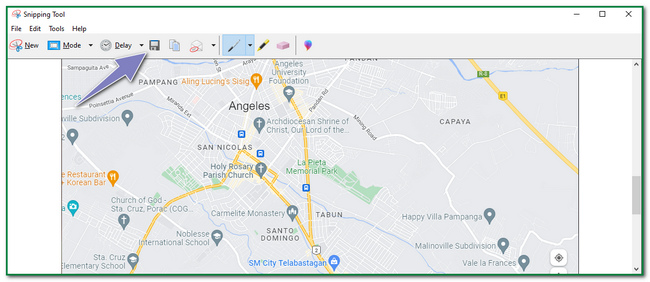
Executive presentations are high-stakes environments. Decisions made in boardrooms shape capital allocation, strategy, risk appetite, and organizational priorities. In these moments, clarity, credibility, and focus matter more than familiarity. Yet many teams still rely on screenshots of Google Maps in executive decks—often without realizing how much this choice undermines their message.
Google Maps is an excellent consumer navigation tool. But screenshots of it consistently fail in executive presentations, not because executives dislike maps, but because consumer maps conflict with executive cognition and decision-making needs.
Executive Audiences Do Not Navigate—They Decide
Google Maps is designed for navigation:
- Finding routes
- Identifying landmarks
- Exploring surroundings
Executives, however, are not navigating geography. They are evaluating:
- Strategic relevance
- Scale and exposure
- Risk concentration
- Growth potential
A navigation-oriented map answers the wrong question. Instead of helping executives decide what matters, it forces them to mentally filter irrelevant details—roads, labels, POIs—that add noise without insight.
In executive settings, anything that slows interpretation weakens impact.
Screenshots Signal “Unfinished Thinking”
Executives are highly attuned to signals of preparation and rigor.
A screenshot of Google Maps subconsciously communicates:
- Generic thinking
- Minimal customization
- Prototype-level effort
Even if the underlying analysis is strong, the visual presentation suggests the work stopped short of synthesis. Executives expect teams to interpret data for them—not hand over raw context and ask them to infer meaning.
Custom visuals signal completed thinking. Screenshots signal shortcuts.
Visual Noise Destroys Strategic Focus
Google Maps is intentionally dense:
- Road networks
- Business labels
- Terrain cues
- Consumer landmarks
In consumer use, this richness is helpful. In executive presentations, it is destructive.
Strategic discussions require visual hierarchy:
- What is most important?
- What is secondary?
- What can be ignored?
Screenshots provide none of this hierarchy. Everything appears equally important, forcing executives to hunt for insight. When attention is scarce, this is a fatal flaw.
Executives Think in Abstractions, Not Streets
Executives operate at a level of abstraction:
- Regions, not intersections
- Markets, not addresses
- Corridors, not turns
Google Maps anchors attention to street-level detail. This mismatch creates cognitive friction. The executive must mentally “zoom out” while the map keeps pulling them “in.”
Effective executive maps abstract geography to match strategic thinking. Screenshots do the opposite.
Brand and Authority Are Undermined
In executive contexts—especially board meetings, investor updates, and consulting presentations—visuals carry authority.
Using Google Maps screenshots:
- Dilutes brand identity
- Introduces a third-party visual language
- Signals lack of ownership over the narrative
Custom maps reinforce authority by:
- Matching brand systems
- Reflecting internal logic
- Presenting geography as analysis, not backdrop
Executives associate visual polish with organizational maturity. Screenshots quietly erode that perception.
Screenshots Cannot Encode Meaning Properly
Executive maps need to encode meaning visually:
- Color signifies priority or risk
- Boundaries indicate responsibility or scope
- Scale conveys magnitude
Google Maps screenshots are not designed for semantic encoding. Colors mean roads, parks, or water—not business logic. Adding annotations on top often makes things worse, not better.
Executives should see meaning instantly, not decode it through explanation.
They Fail Under Executive Scrutiny
Executives ask probing questions:
- Why this region?
- What’s adjacent?
- What happens if we expand here?
- Where are the constraints?
Screenshots collapse under scrutiny because:
- They are static and inflexible
- They don’t isolate variables
- They don’t support scenario discussion
When the map cannot adapt to the conversation, it becomes a liability instead of a support tool.
Perception of Risk Is Distorted
Risk discussions are common in executive presentations:
- Market risk
- Regulatory exposure
- Operational complexity
- Environmental factors
Google Maps screenshots hide risk because they emphasize familiarity. A place that looks “normal” on a consumer map may be strategically complex.
Custom maps can surface:
- Regulatory boundaries
- Service gaps
- Infrastructure constraints
- Exposure zones
Executives make better decisions when risk is visible, not glossed over by familiar visuals.
Screenshots Encourage Over-Explanation
Because screenshots do not communicate intent clearly, presenters compensate verbally:
- Long explanations
- Repeated clarifications
- Slide-by-slide narration
This slows meetings and increases fatigue. Executives prefer visuals that carry the argument on their own, allowing discussion to focus on implications rather than interpretation.
When a map requires explanation, it has already failed its primary job.
Executive Time Is Too Expensive for Guesswork
Executives are paid to decide, not interpret.
Every second spent deciphering a screenshot is a second not spent:
- Evaluating trade-offs
- Challenging assumptions
- Setting direction
In executive settings, the cost of unclear visuals is not aesthetic—it is strategic. Poor map choices lengthen meetings, dilute focus, and increase the risk of misalignment.
The False Comfort of Familiarity
Teams often defend Google Maps screenshots by saying, “Everyone knows how to read them.”
Familiarity, however, is not the same as effectiveness.
Executives do not need familiar tools—they need precise tools. Familiar visuals that communicate the wrong thing faster are still the wrong choice.
In fact, familiarity can be dangerous because it discourages critical examination.
When Screenshots Actively Damage Credibility
In certain contexts, screenshots are more than suboptimal—they are damaging.
Examples include:
- Board presentations
- Investor decks
- Consulting recommendations
- Government or regulatory briefings
In these settings, screenshots suggest lack of seriousness and can undermine confidence in the entire proposal.
What Executives Actually Expect From Maps
Effective executive maps:
- Show only what matters
- Encode business logic visually
- Match the scale of the decision
- Reduce cognitive load
- Support discussion, not distract from it
They feel intentional, restrained, and analytical.
Why Custom Maps Perform Better
Custom maps succeed in executive presentations because they:
- Replace navigation detail with insight
- Align with strategic thinking
- Reinforce authority and ownership
- Make trade-offs visible
- Shorten explanation time
They transform geography from background context into decision support.
The Right Question to Ask Before Including a Map
Before adding any map to an executive presentation, ask:
What decision does this map make easier?
If the answer is unclear—or if the map simply shows where something is—a screenshot is almost always the wrong choice.
Conclusion: Screenshots Optimize for Convenience, Not Decisions
Screenshots of Google Maps fail in executive presentations because they optimize for the wrong outcome. They prioritize familiarity over focus, completeness over clarity, and convenience over credibility.
Executive audiences need maps that think the way they do—at the level of strategy, risk, and scale. When geography is presented as analysis rather than backdrop, conversations move faster and decisions improve.
For mapsandlocations.com, the lesson is direct: in executive settings, maps are not decoration. They are instruments of judgment. And screenshots—no matter how familiar—are rarely sharp enough for that job.