

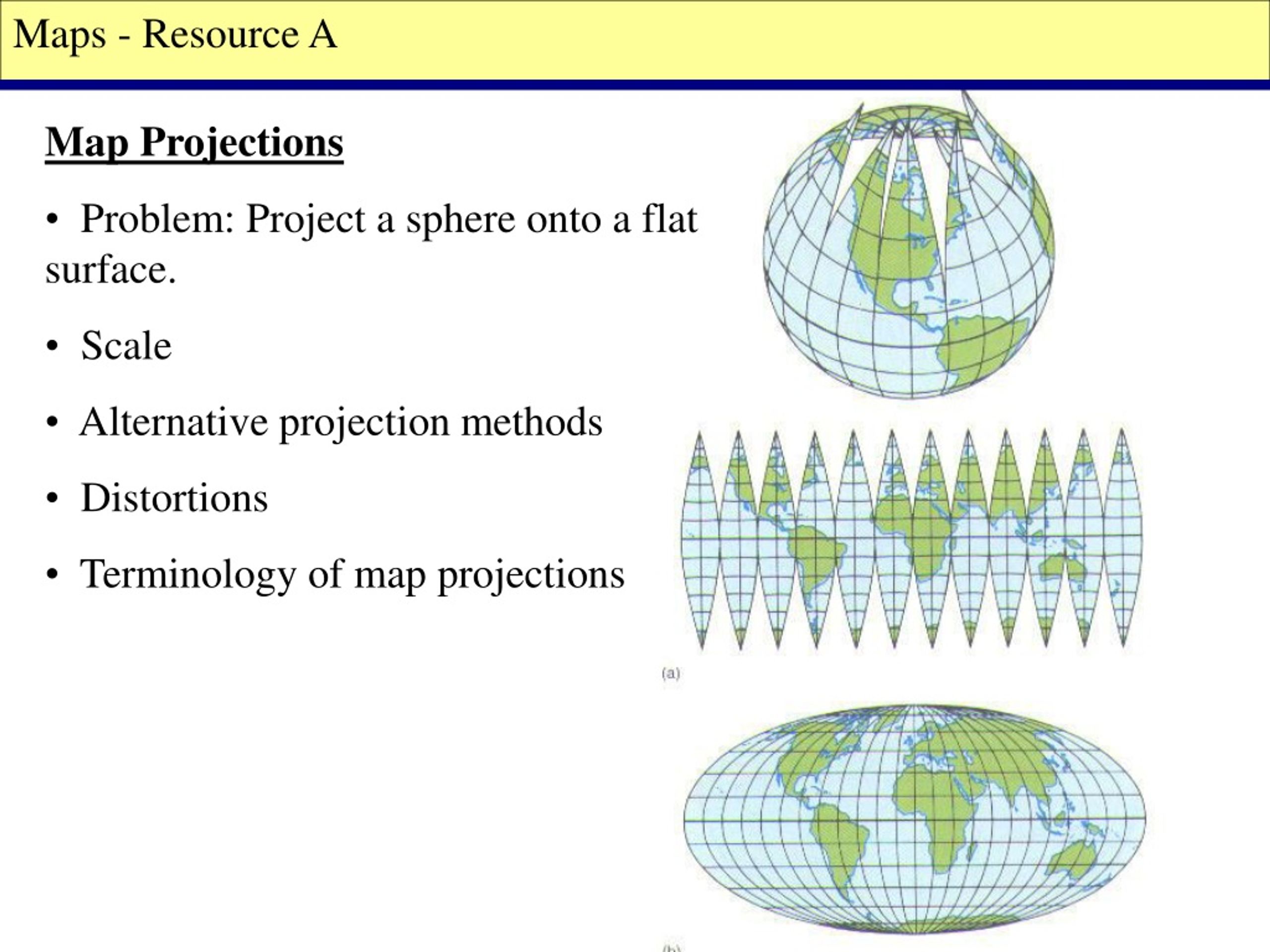
Most executives will never ask which map projection you used. Yet projection choice silently shapes how they interpret scale, importance, risk, and opportunity. When teams unknowingly mix WGS84 data with Web Mercator visuals, the resulting distortions can undermine credibility, mislead strategy, and derail otherwise strong presentations.
For mapsandlocations.com clients, this problem shows up constantly in board decks, investor updates, and sales presentations. The maps look technically correct, but they feel wrong. Regions appear larger or smaller than expected. Emphasis lands in the wrong places. Conversations drift toward debating the map instead of the decision.
This article explains why WGS84 and Web Mercator mismatches cause these issues, how they surface in executive settings, and what to do instead.
The quiet problem executives react to, but never name
Executives rarely say, “This projection is wrong.”
Instead, they say:
- “Why does this region look so dominant?”
- “That market feels overstated.”
- “This doesn’t match how we think about the country.”
- “Can you explain why this area looks so big?”
These reactions are not about data. They are about perception. Projection errors change visual weight, and executives are extremely sensitive to visual weight even if they cannot articulate why.
WGS84 and Web Mercator are not interchangeable
At a high level:
- WGS84 is a geographic coordinate system used to store real-world latitude and longitude accurately.
- Web Mercator is a projected coordinate system designed to make maps easy to pan and zoom on the web.
The problem arises when:
- data is stored or calculated in WGS84
- then displayed in Web Mercator
- without adjusting for distortion or presentation context
This workflow is common because most web mapping tools default to Web Mercator. Engineers accept it because it works technically. Designers often do not realize what has changed visually.
In executive presentations, this mismatch becomes costly.
How Web Mercator distorts executive perception
Web Mercator preserves angles, not area. As you move away from the equator, regions stretch dramatically.
In a United States context, this causes:
- northern states to appear much larger than they are in reality
- southern states to appear visually compressed
- regional balance to feel off, even when numbers are correct
For navigation, this is acceptable. For decision-making, it is dangerous.
Executives unconsciously associate visual size with importance. When projection distortion exaggerates certain regions, it biases interpretation before any discussion begins.
Where this breaks presentations most often
Expansion and market prioritization slides
When showing TAM, revenue, or growth by region, Web Mercator distortion can make some regions look disproportionately important.
A state that appears visually dominant may:
- generate less revenue
- have lower growth
- matter less strategically
Yet the map nudges the conversation toward it anyway.
Risk and exposure maps
Risk maps rely heavily on visual emphasis. If projection distortion inflates certain regions, perceived risk becomes skewed.
Executives may over-index on visually large regions and underweight compact but critical ones.
Sales and coverage maps
Sales leaders often react strongly to coverage visuals. If territories appear uneven due to projection distortion, it triggers debates about fairness, allocation, and resourcing even when the underlying data is balanced.
These debates waste time and erode confidence.
Why this problem persists
Projection errors persist because responsibility is fragmented.
- Engineers focus on correctness and defaults.
- Designers focus on layout and aesthetics.
- Business teams focus on narrative.
No one owns projection choice as a communication decision.
As a result, maps that are technically valid but perceptually misleading slip into high-stakes presentations.
The executive reality: perception beats math
Executives do not analyze maps the way analysts do. They scan them.
In the first few seconds, they subconsciously assess:
- balance
- dominance
- concentration
- gaps
If the map feels wrong, the data must work harder to recover trust. Often, it never does.
This is why projection choice is not a technical detail in executive contexts. It is a narrative decision.
When WGS84 is the wrong choice for presentation
WGS84 is excellent for:
- storing data
- calculating distances
- geospatial analysis
It is rarely appropriate as a direct presentation projection.
Raw geographic coordinates do not account for how humans perceive area and importance. Showing WGS84 data without thoughtful projection or simplification leads to maps that are accurate but visually awkward.
Executives care about understanding, not coordinate fidelity.
When Web Mercator actively hurts you
Web Mercator is acceptable for:
- interactive exploration
- navigation tools
- zoomable web maps
It is a poor choice for:
- static executive slides
- comparative regional maps
- choropleths showing business metrics
- any map where area implies importance
If the map is static and meant to persuade or inform, Web Mercator’s convenience becomes a liability.
Better projection choices for executive maps
For executive-facing maps, especially static ones, consider projections that respect area more honestly.
Good alternatives include:
- Equal-area projections for choropleths and comparisons
- Purpose-built regional projections for national maps
- Simplified custom projections optimized for the specific geography
The exact choice matters less than the intent: preserve visual fairness so geography does not distort the story.
Design choices that reduce projection damage
Even when projection options are limited, you can mitigate harm through design:
- Use strong hierarchy so business importance overrides land area
- Employ insets for dense, high-value regions
- De-emphasize irrelevant geography aggressively
- Use annotations to direct attention explicitly
These techniques do not fix projection distortion, but they reduce its impact on interpretation.
A simple executive-safe rule
If a map:
- is static
- appears in a deck, PDF, or board presentation
- compares regions
- supports a decision
then projection choice must be deliberate, not default.
If the answer to “Why does this region look bigger?” is “That’s just the projection,” the map has already failed.
What high-performing teams do differently
Teams that avoid this problem:
- separate analytical maps from presentation maps
- redesign geography specifically for communication
- test maps with non-technical viewers
- treat projection as part of narrative design
They accept that executive maps are not neutral representations. They are arguments that must be visually honest.
Conclusion: projection errors erode trust silently
WGS84 vs Web Mercator errors rarely cause dramatic failures. They cause something worse: quiet doubt.
Executives may not challenge the data, but they hesitate. Discussions drift. Decisions slow. Confidence weakens.
At mapsandlocations.com, we treat projection choice as a first-order design decision, not a technical afterthought. When maps respect how executives see and reason about geography, conversations stay focused on strategy instead of visuals.
If you want, we can review your existing executive maps, identify projection-driven distortions, and redesign them for clarity, fairness, and persuasion without adding complexity or new data.